ConceptDesktop
The PTDev's Alternative Interface for Windows
Overview
 Tired of that ugly Taskbar ?
Want to change that nasty wavy flag on the Start menu ? Just curious to
try something new ? ConceptDesktop is for you !
Tired of that ugly Taskbar ?
Want to change that nasty wavy flag on the Start menu ? Just curious to
try something new ? ConceptDesktop is for you !
Well, for now, ConceptDesktop is still in developing
stage... but you're to see here how it looks and acts currently.
OK, don't look for miracles. We've decided to
rewrite ConceptDesktop from scratch (as most parts of the first beta
release didn't work, mostly the scripting language), so it'll take some
time for you to have a "working" release.
Screenshots
Want to see how ConceptDesktop actually
looks ? Click on these screenshots to enlarge them (all are 800x600, JPG format).
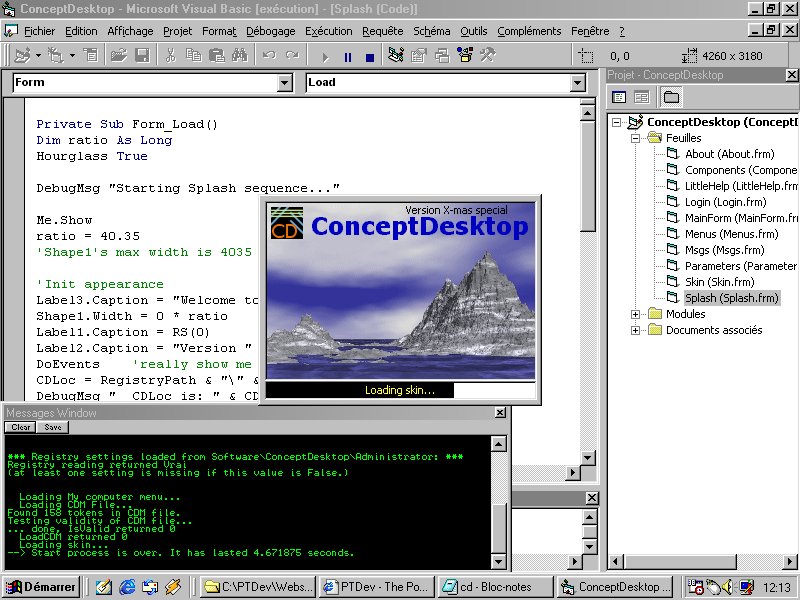
The Splash screen while launched from Visual Basic. Note the Messages window behind.
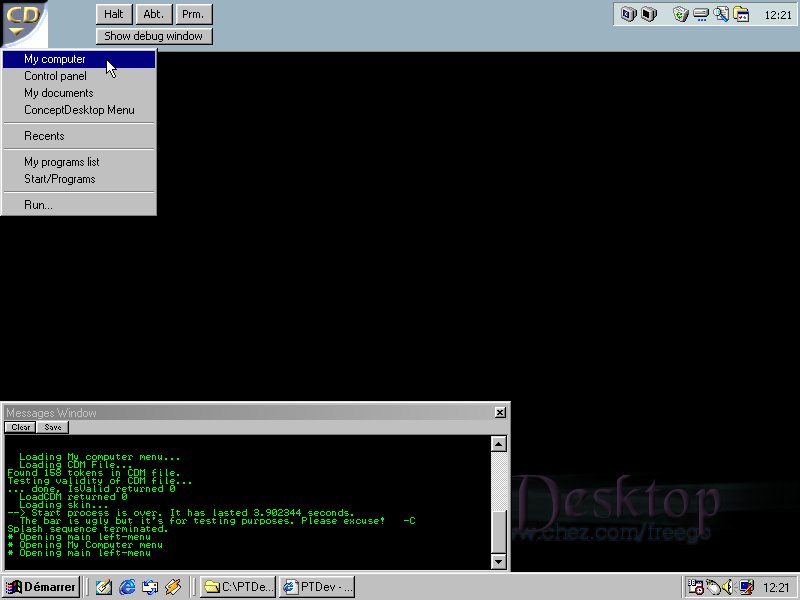
The (current) interface with the main menu opened.
It's actually ugly, but I'm implementing skins so it'll be nicer in a few weeks.
If you pump brightness to the max you'll be able to see
what may become the official background.
Don't worry about that window in the
bottom left-hand corner: it's the integrated Debugging window of ConceptDesktop.
It aims at giving information about what was done in a session, and it'll be
removable in the official releases, even if it's really handy for testing
purposes.
[Introduction] - [News] - [Download] - [Development] - [Skins]
[Return to main page]